Save a pet. Book later.
Add clients and care details before choosing dates.
For solo pet sitters and dog walkers
Juggling client texts, care notes and bookings? Keep the details together and spend less time on admin.

Available now on iPhone and iPad. Android app coming soon.
$12.99/month or $100/year USD
14-day free trial for eligible new subscribers.
Then your selected plan renews automatically unless canceled. Local pricing & details

Three ways to start in the app
Start with Home, then see how texts, schedules, care and owner updates fit together.
iPhone and iPad app · Fictional demo data · Sample care and message details · Select a screenshot to enlarge it.
Open your workspace to familiar faces, bookings and your daily brief.
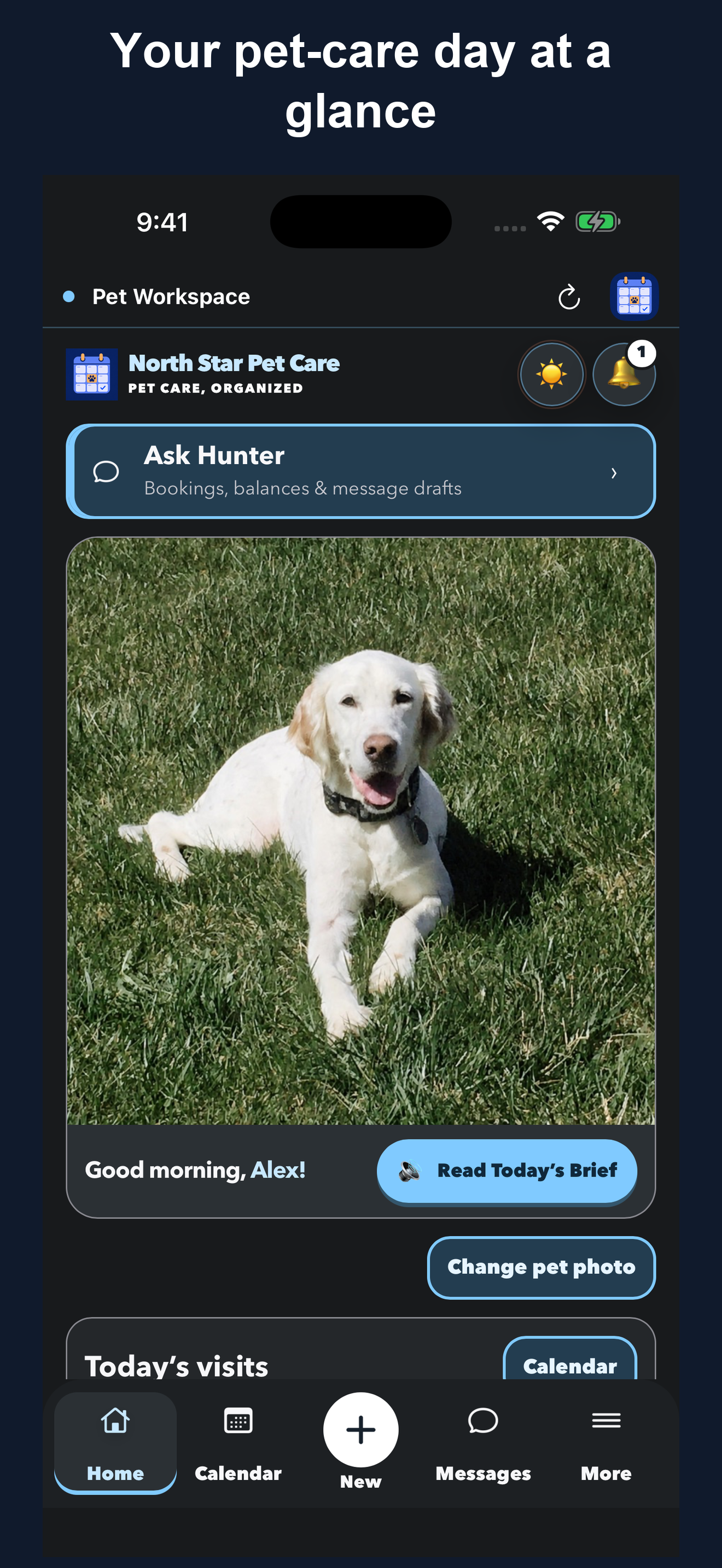
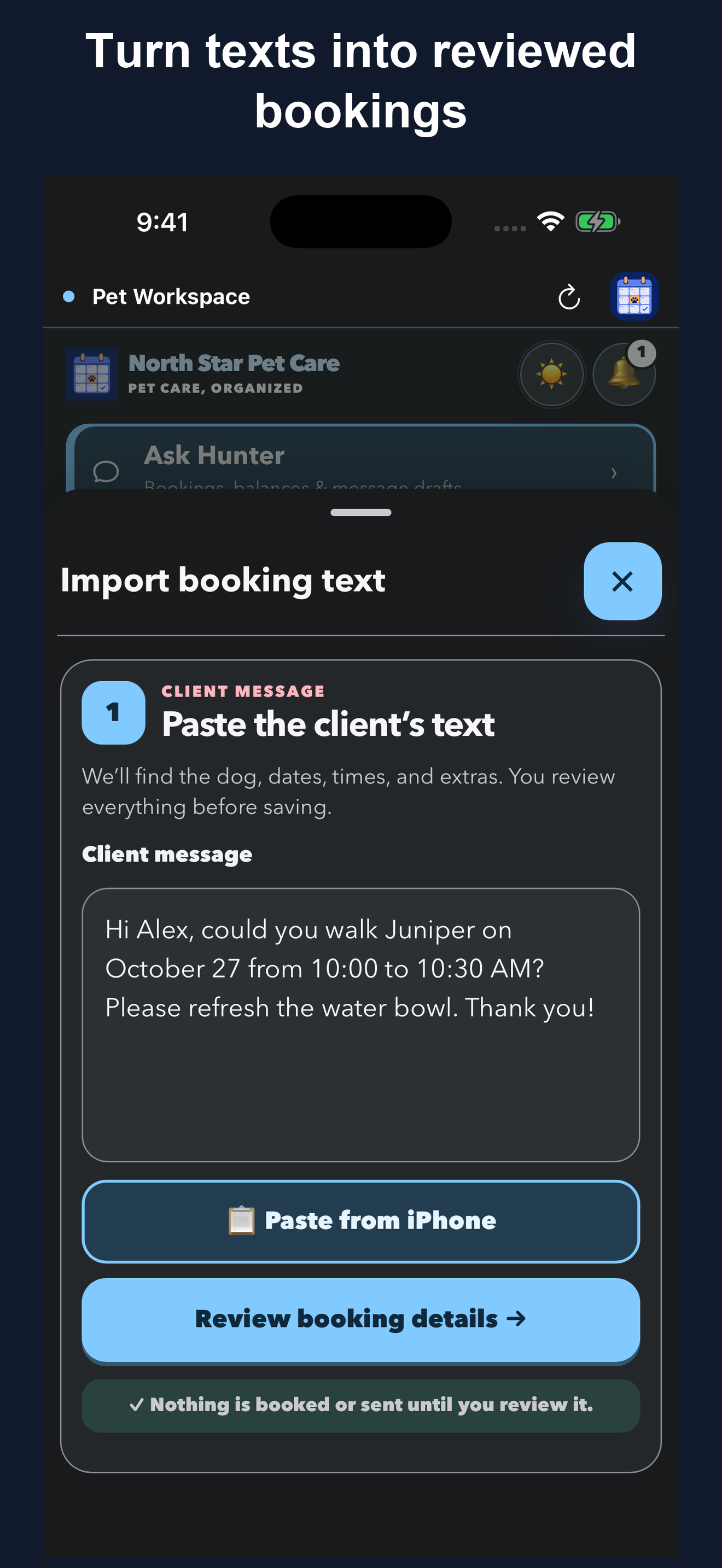
Import a booking request from a client text, then review it before saving.
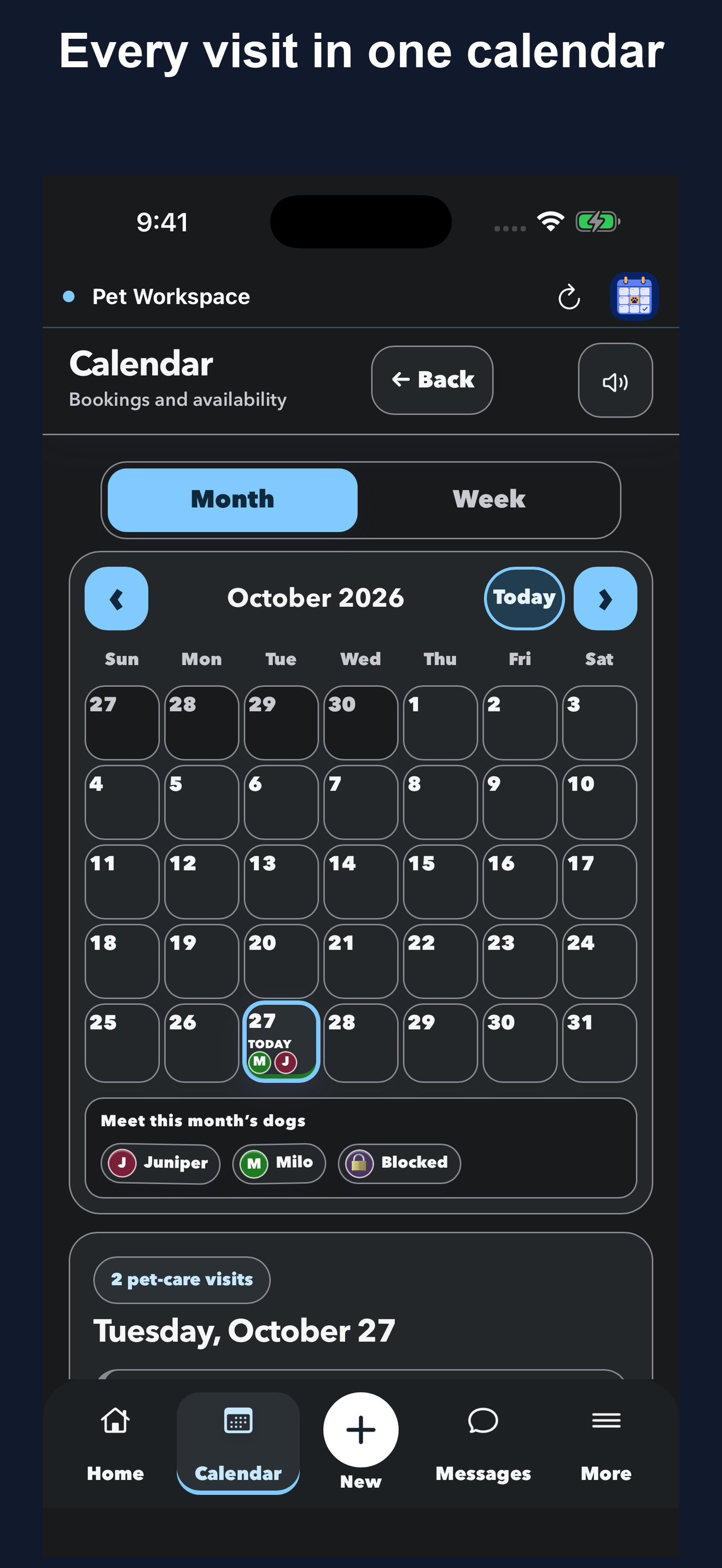
Month and Week views keep visit details and overlap warnings close.
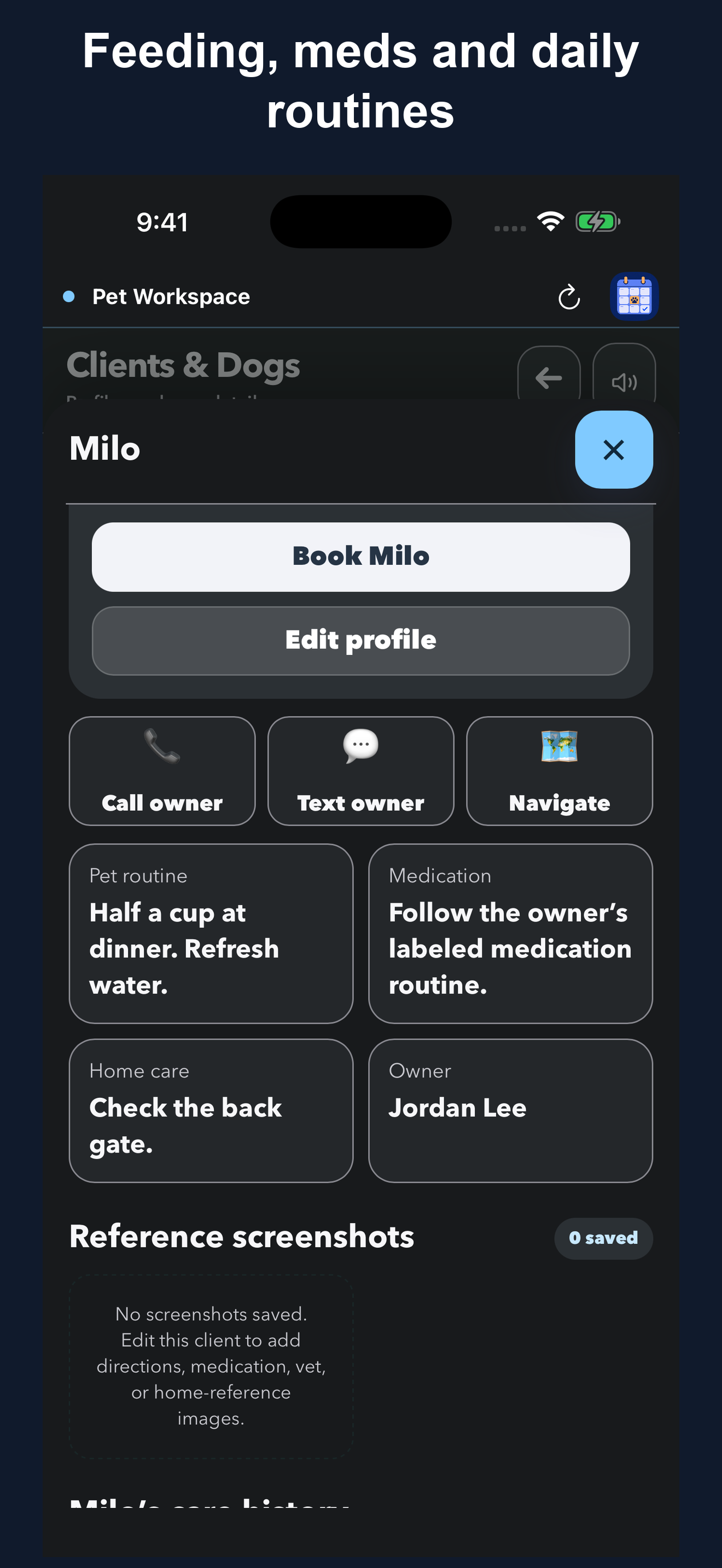
Find feeding instructions, medications, home details and owner contacts.
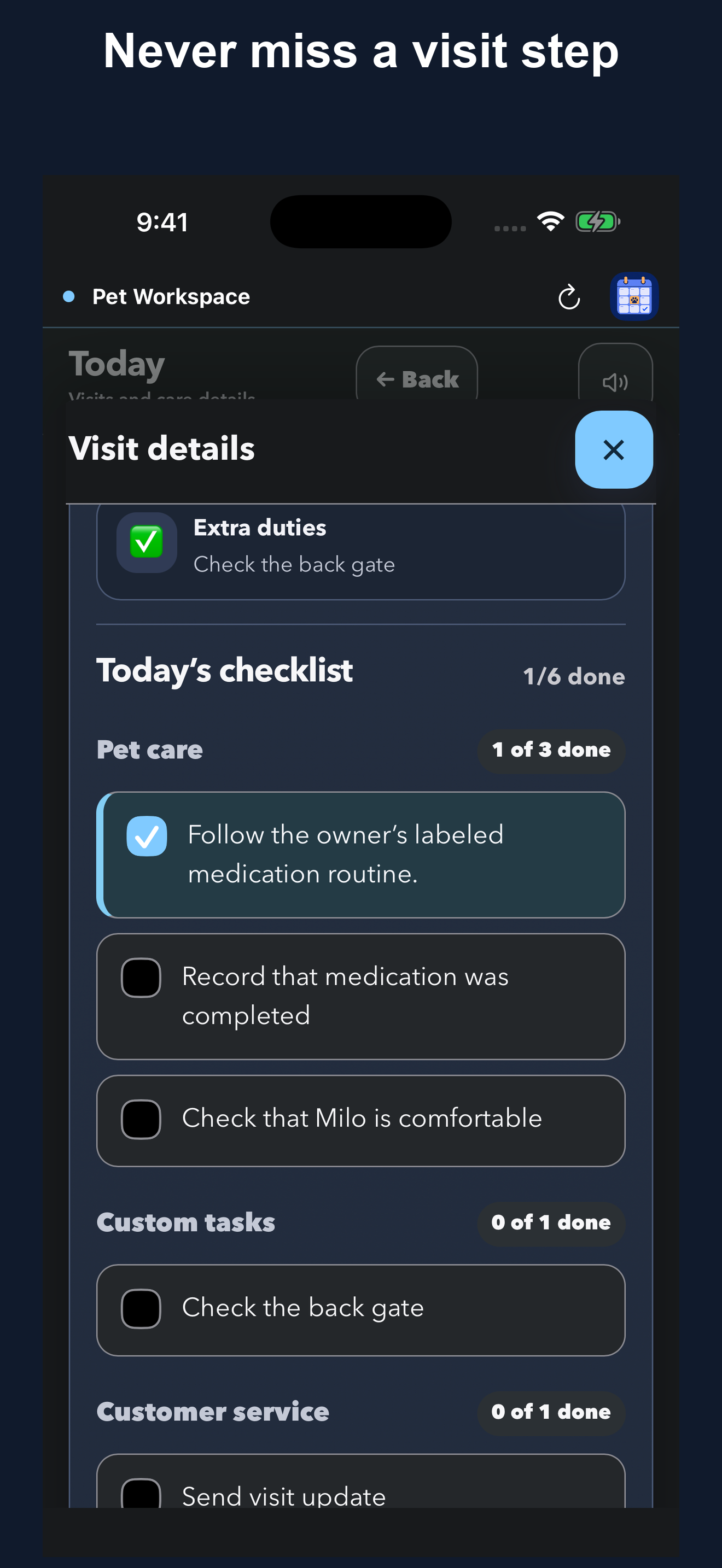
Personalized checklists and reusable templates help you follow the routine.
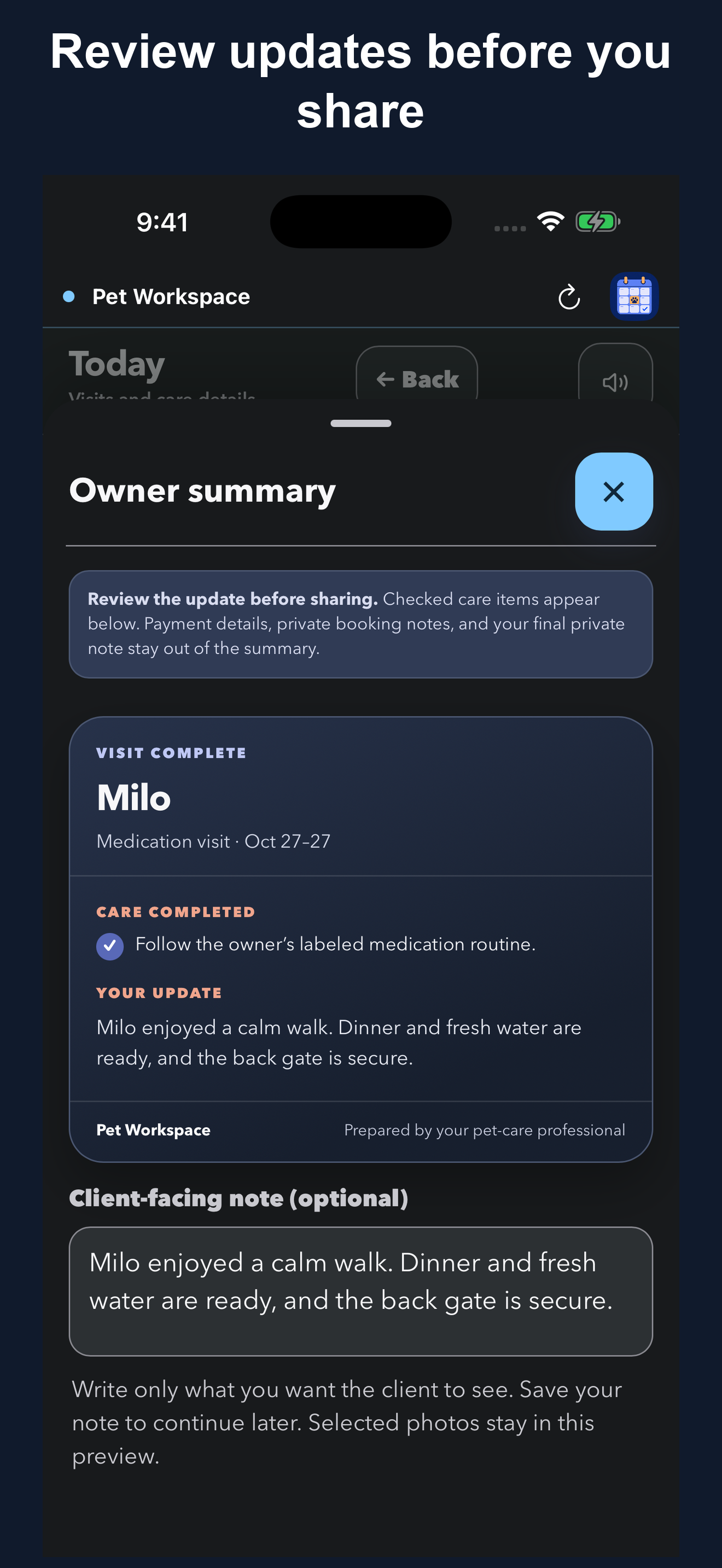
Prepare a client-ready update, review it and choose when to share.
Add your business name and tagline. Choose your colors and assistant name, then set your services, rates, and care checklists.
“Happy Tails Dog Care”
Keep bookings, client contacts, and care instructions close at hand.
Add clients and care details before choosing dates.
Tailor checklists to each pet and the owner’s routine.
Import an iPhone contact and review the details before saving.
Save to Files and review your data before restoring.
Both plans include the full app. Prices below are in U.S. dollars; the App Store shows your local price before you subscribe. Eligible new subscribers can start with a 14-day free trial.
Billed monthly. Renews at $12.99 USD per month unless canceled.
Billed once a year. Renews at $100 USD per year unless canceled.
Pet Workspace is available now for iPhone and iPad in the United States, Canada, the United Kingdom, Ireland, Australia, New Zealand, Singapore and South Africa. Apple confirms availability, trial eligibility, tax, and your local price before you subscribe. The trial starts when you activate an eligible subscription, not when you download the app. After an eligible trial, Apple charges your selected plan at the local price shown when you subscribe, then renews it automatically unless canceled at least 24 hours before the current period ends. Review or cancel through Manage Subscription in the app or your Apple subscription settings.
Turn client texts into bookings you review before saving. Keep care instructions with each visit, then prepare owner updates without starting from scratch.
Free checklists, message templates, and practical workflows for pet sitters. Open, save, or share any guide.
Get to know the app. Watch our latest video on the Pet Workspace YouTube channel.

Hunter was my dog and the inspiration behind Pet Workspace. I named the app’s assistant after him as a small way to keep his memory part of what I’m building.
The Hunter assistant helps with the admin around your visits: preparing bookings from client texts, checking recorded balances and availability, drafting client messages, and reading your daily brief aloud. You review the details before saving a booking or sharing a message.
— Brian, founder of Pet Workspace
For Hunter—the best dog ever.
Clear answers before you start your workspace.
Independent pet sitters and dog walkers who manage their own visits. Whether you care for dogs, cats, or both, keep your bookings, care instructions, and client updates together.
Yes. Your business name, service types, rates, care templates, and daily details can be customized so the workspace reflects the way you already work.
Yes. Add and save the pet and client profile by itself. Pet Workspace does not create a booking or choose dates until you start a booking.
Use personalized care checklists and reusable task templates for feeding, medications, routines and home details. Choose tasks that match each pet’s care instructions.
Month and Week calendars help you review your schedule, check visit details and spot overlapping bookings with overlap warnings.
Pet Workspace uses large primary controls, readable type, and fewer layers. Choose light mode, dark mode, or follow the device; visit profiles use high-contrast surfaces in either appearance.
Available now on iPhone and iPad. Android app coming soon.
Yes. Client and pet profiles can include photos, contacts, routines and care details. Save complete backups and exports to Files.
No. Your account and business data are used to provide and secure the app. Pet Workspace does not sell personal information or use it for cross-app tracking.
Hunter is a set of focused in-app tools named in memory of Brian’s dog. Use supported booking text to prepare a visit, check recorded balances and availability, draft a client message, or start a spoken daily brief. It is not open-ended chat. Review booking details before saving and message drafts before sharing.
Google Calendar export opens a prefilled event for you to review and save. Direct Apple Calendar insertion adds a visit to your device calendar and is included with either plan. These are one-time additions: later edits or cancellations in Pet Workspace must be updated separately in the other calendar. They are not a live calendar subscription or two-way sync.
You can access saved booking and care information offline at a client’s house. Sign-in and cloud sync need an internet connection. Reconnect before switching devices so your latest changes can sync.
Use Pet Workspace on iPhone or iPad for your bookings and care workspace. Contact import is available on iPhone. Direct Apple Calendar insertion and native visit reminders are included with either plan; reminders also need notification permission. Apple manages subscription purchases and restoration in the installed app.
Yes. Native subscriptions are managed by Apple. The app includes Restore Purchases and a direct link to Apple’s subscription settings.
No. Pet Workspace is a scheduling and care workspace, not a marketplace or payment processor. Paid and due labels track the payment information you record.
Keep your bookings, pet details, and daily care together.